Jujutsu Ragdoll Sandbox Getting Started Guide
Your first solo session in Infinite Void Interactive’s JJK ragdoll sandbox.
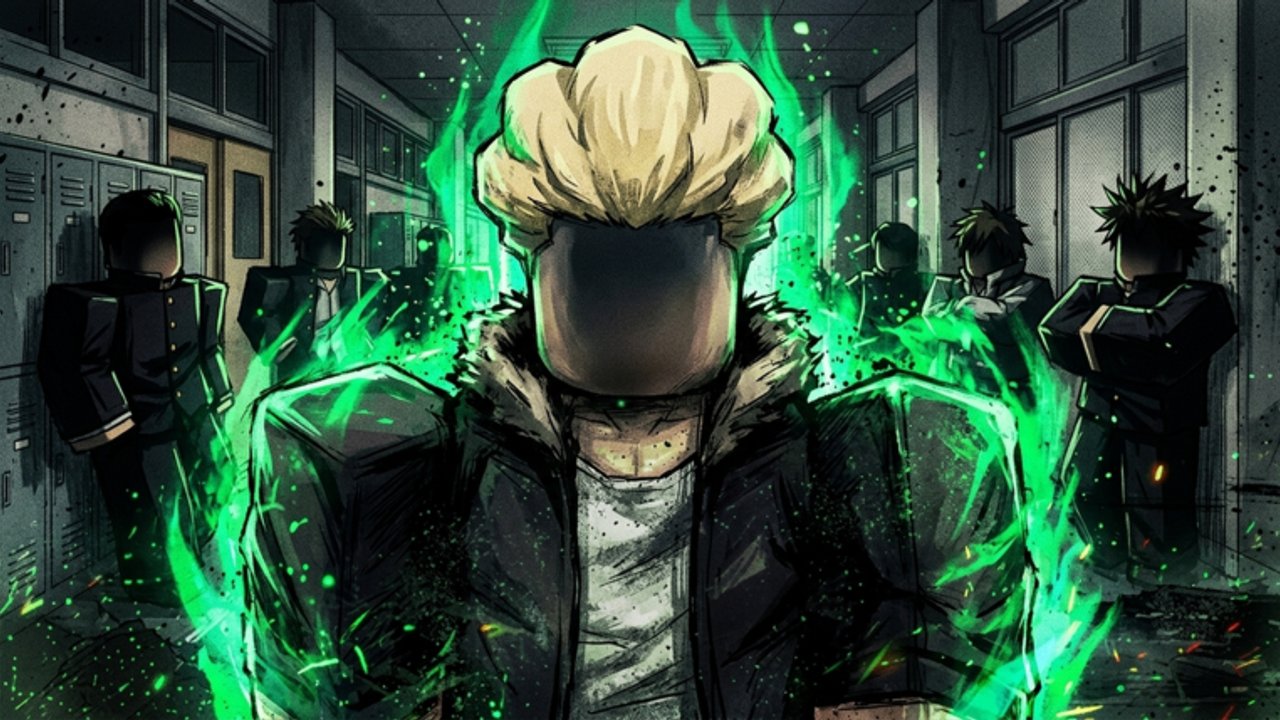
Jujutsu Ragdoll Sandbox is a Roblox experience by Infinite Void Interactive, released on 18 November 2026. It is a solo session (max players 1) built for Desktop, Console, Mobile, and Tablet. The fantasy is simple and satisfying: load a featured sorcerer or curse, fire official cursed techniques such as Reversal Red, Maximum Blue, and Hollow Purple, and watch interactive dummies ragdoll across themed maps.
This getting-started guide walks through a complete first hour so you never feel stuck staring at menus. Pair it with the Guides Hub, Codes, and Players Hub as you go.
Step 1 — Join the experience
- Open Roblox and search for Jujutsu Ragdoll Sandbox, or use the official place link from this wiki’s game URL.
- Confirm you are joining the Infinite Void Interactive listing so you land in the correct universe.
- Because the place is solo, you will not wait for a party. Loading drops you into a private sandbox ready for experimentation.
- Give assets a moment to finish streaming on mobile or tablet data connections before judging lag.
If the experience fails to load, retry from the Roblox game page, check your network, and make sure Roblox itself is up to date on your platform.
Step 2 — Claim codes early
Codes are the fastest way to grab patch gifts and apology rewards. Visit the live list on Codes and redeem strings such as:
- BUGFIXES
- SORRYFORDELAY
- MAHITO
- PATCHWORK
- ACT2
Redeeming on day one matters because some rewards relate to raid progress or cosmetics you will want before you open red chests. Exact reward text can change after patches—always trust the Codes page for the current description, and paste codes carefully so spacing or case does not break redemption.
Step 3 — Pick a featured character
Featured roster picks highlighted across the wiki include:
- Gojo — Limitless-style kit with Red, Blue, and Purple showcases
- Sukuna (King of Curses) — high-impact cursed technique fantasy
- Choso — blood-themed pressure and mid-range testing
- Mahito — idle-transfiguration flavor and disruptive hits
You do not need a “correct” starter. In a sandbox, the best first pick is whoever you want to film, screenshot, or learn. Read short profiles on Gojo, Sukuna, Choso, and Mahito, then swap freely after a few minutes of dummy practice.
For sandbox power-and-fun context (not PvP), skim the Character Tier List once you have tried at least two kits.
Step 4 — Experiment on interactive dummies
Dummies are the heart of the experience. Treat your first ten minutes as a structured lab:
- Stand at short range and fire a basic technique to confirm hit feedback.
- Step to mid range and repeat so you learn travel time and camera follow.
- Try a heavy or signature finish such as Hollow Purple when available and watch the full ragdoll arc.
- Reposition the camera or your character so props and map edges stay in frame—great for clips.
- Swap characters and repeat the same three distances so you feel kit differences honestly.
Official technique names to prioritize while testing: Reversal Red, Maximum Blue, and Hollow Purple. Deep tips live on Cursed Techniques.
Mid-session video reference
If you prefer to learn by watching someone else explore the sandbox, the mid-article embed on this page shows a real play session. Pause whenever a menu or ability flash appears, then recreate the same action in your own private instance.
Step 5 — Tour the maps
Maps give context to knockback. A technique that looks fine in an open plaza can fling dummies into walls, stairs, or props on a denser layout. On day one:
- Visit every unlocked map once without worrying about “efficiency.”
- Note which spaces have clear sightlines for Purple-style finishers.
- Save a favorite map for recording; keep a denser map for learning collision quirks.
- Use gallery references such as
/images/gallery-map.jpgon this wiki when you need a visual reminder of layout vibe between sessions.
Because you are alone in the instance, you can linger as long as you want without blocking other players.
Step 6 — Open the RAIDS tab and red chests
After codes and basic testing, open the RAIDS tab in the experience UI. Red chests are opened from that tab—do not hunt endlessly on the floor if the UI is the intended entry point. Codes such as BUGFIXES and SORRYFORDELAY are frequently discussed alongside raid and chest rewards; redeem them first, then check RAIDS for newly available openings.
Full workflow notes live on Raids and Chests. Habit tip: end every session with a 30-second RAIDS check so you never leave rewards sitting unclaimed.
Controls without guessing
Exact keybinds can differ by platform and patch. Rather than memorize a fan chart that might be outdated:
- Open Settings inside the experience and review movement, camera, and ability slots.
- On many Roblox PC titles, F1 or a help button reveals overlays—check whether this sandbox exposes one.
- On mobile and tablet, look for on-screen ability buttons and a gear icon for sensitivity.
- On console, confirm which face buttons fire techniques versus camera resets.
Dedicated advice is collected on Controls. If something feels wrong, rebind or lower camera sensitivity before assuming a technique is broken.
First-hour checklist
Use this checklist once, then reuse it after big updates:
- Joined the Infinite Void Interactive place successfully
- Redeemed BUGFIXES, SORRYFORDELAY, MAHITO, PATCHWORK, and ACT2 (or whatever the Codes page currently lists as active)
- Selected at least one featured character and confirmed abilities appear
- Hit dummies with Red, Blue, and Purple where the kit allows
- Visited more than one map
- Opened the RAIDS tab and handled red chests
- Bookmarked Guides, Codes, and Players
What to do in hour two
Once the checklist is green:
- Watch Sukuna and Gojo Showcase and mirror two signature sequences.
- Focus a full session on King of Curses if Sukuna is your main fantasy.
- Compare kits using the Tier List Hub so you understand sandbox “fun” rankings.
- Return to Cursed Techniques and deliberately practice whiff recovery and camera framing.
Common early mistakes
- Skipping codes — you miss free raid-related or cosmetic gifts tied to patch strings.
- Judging a kit after one cast — ragdoll sandboxes reward multi-angle testing.
- Ignoring RAIDS — red chests are easy to overlook if you only look for world props.
- Fighting your camera — fix sensitivity before blaming knockback.
- Expecting multiplayer — the place is solo; invite friends to their own instances if you want parallel sessions.
Stay oriented with the wiki
Whenever a patch lands, skim Updates, refresh Codes, and re-run a shortened version of this guide. Infinite Void Interactive’s sandbox is built for playful mastery—your job on day one is simply to load in, claim gifts, pick a favorite face, and make the dummies fly.
Frequently Asked Questions
Quick answers to the most common questions.
Is Jujutsu Ragdoll Sandbox multiplayer?
No. It is a solo experience with a max player count of one. Friends can each open their own instance.
Which codes should I redeem first?
Check the Codes page. Known strings include BUGFIXES, SORRYFORDELAY, MAHITO, PATCHWORK, and ACT2.
Where do red chests open?
Open the RAIDS tab in the experience UI. See the Raids and Chests guide for the full workflow.
Which character should I pick first?
Any featured pick—Gojo, Sukuna, Choso, or Mahito. Choose the fantasy you want to practice, then swap freely.
Which platforms are supported?
Desktop, Console, Mobile, and Tablet on Roblox. Always verify controls in Settings for your device.